
Drive UP: Together Co-op Guide — Multiplayer & Invites
Drive UP: Together co-op: 1–8 players, Steam and in-game invites, ghost spawn protection, host kick, and fan team tips—not official rules.
How does multiplayer work in Drive UP: Together?
Drive UP: Together is built around online co-op climbing on Steam for Windows PC. Verified player counts from the official site and press kit: 1–8 players per online session. Solo play is explicitly supported—the developer FAQ pin states the whole climb works solo too, even though Steam’s category list emphasizes multiplayer co-op tags.
There is no official automatic matchmaking in the sources we track. You bring a crew via Steam friends, in-game invites (added v0.1.1), or community LFG threads such as the pinned Steam discussion and the official Discord.
Purchase link: Steam store. This wiki is unofficial and not run by Gamevato.
How do invites and lobbies work?
| Feature | Source-backed detail |
|---|---|
| Steam friends | Standard invite path referenced on the store page and in EA FAQ copy about joining a lobby with friends. |
| In-game invites | v0.1.1: invite friends from inside the game without alt-tabbing (official Steam news). |
| Own copy required | Launch-week post: everyone needs their own copy; you can gift on Steam. |
| Lobby settings | v0.1.2: clicking the map card (image or name) in the lobby opens game settings. |
| Host tools | v0.1.2: host can kick from the pause menu during a race; kick/leave chat lines can show profile pictures. |
Step-by-step for new players: beginner guide. Demo limitations for mixed demo/full groups: demo vs full game.
What does co-op physics allow?
Official descriptions and the Early Access launch news emphasize solid cars:
- Park across a gap to act as a bridge.
- Push a friend up a ramp they cannot climb alone.
- Shunt stuck vehicles or tap bumpers—helpful or chaotic.
Collisions are real. Press-kit screenshot 03 shows two SUVs colliding on a narrow checkered track above the ocean—useful visual proof that overlapping lines cost time.
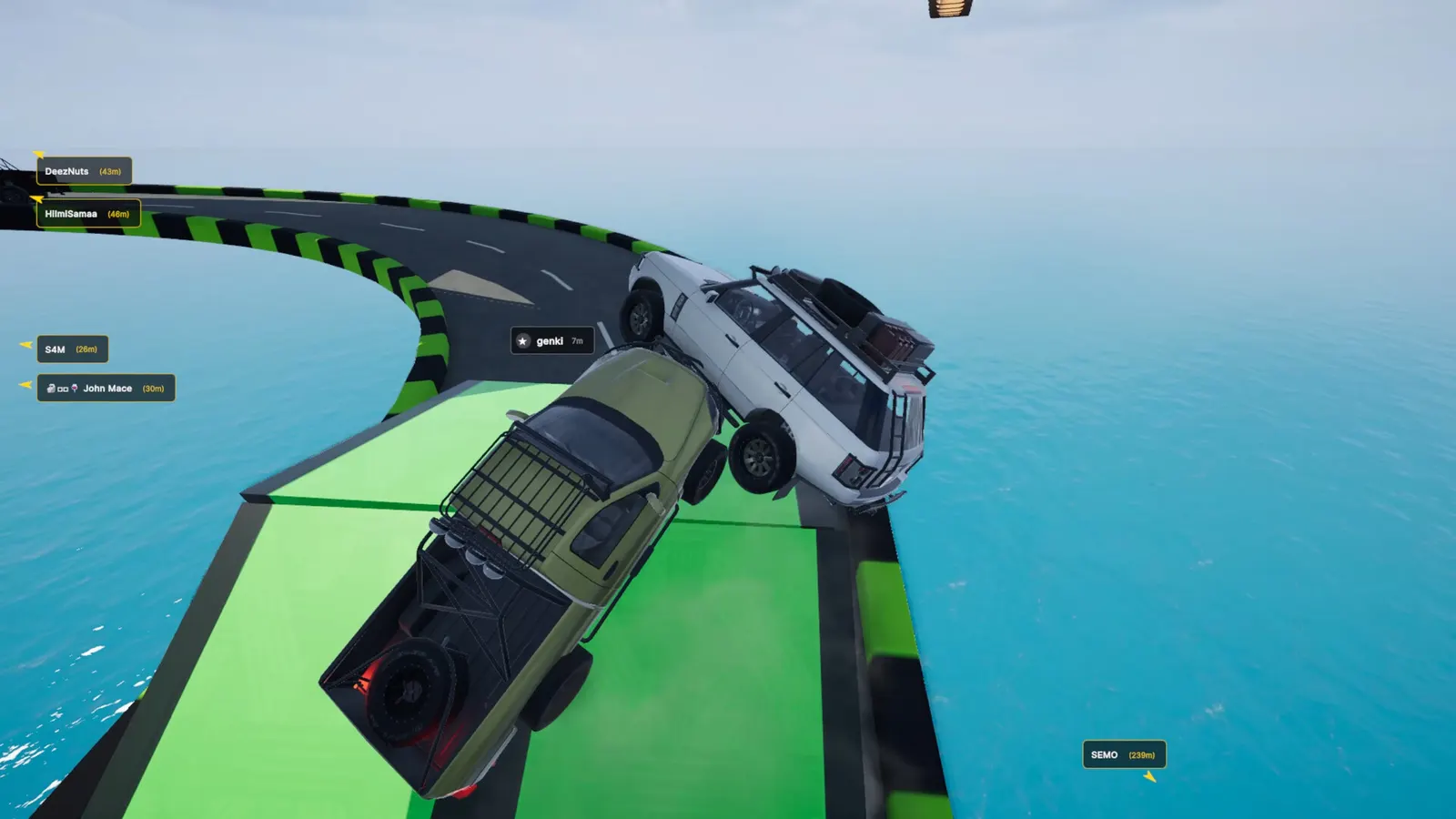
Screenshot: Gamevato official press kit.
Stacked traffic on neon grid blocks shows how pile-ups happen when many players share one line.
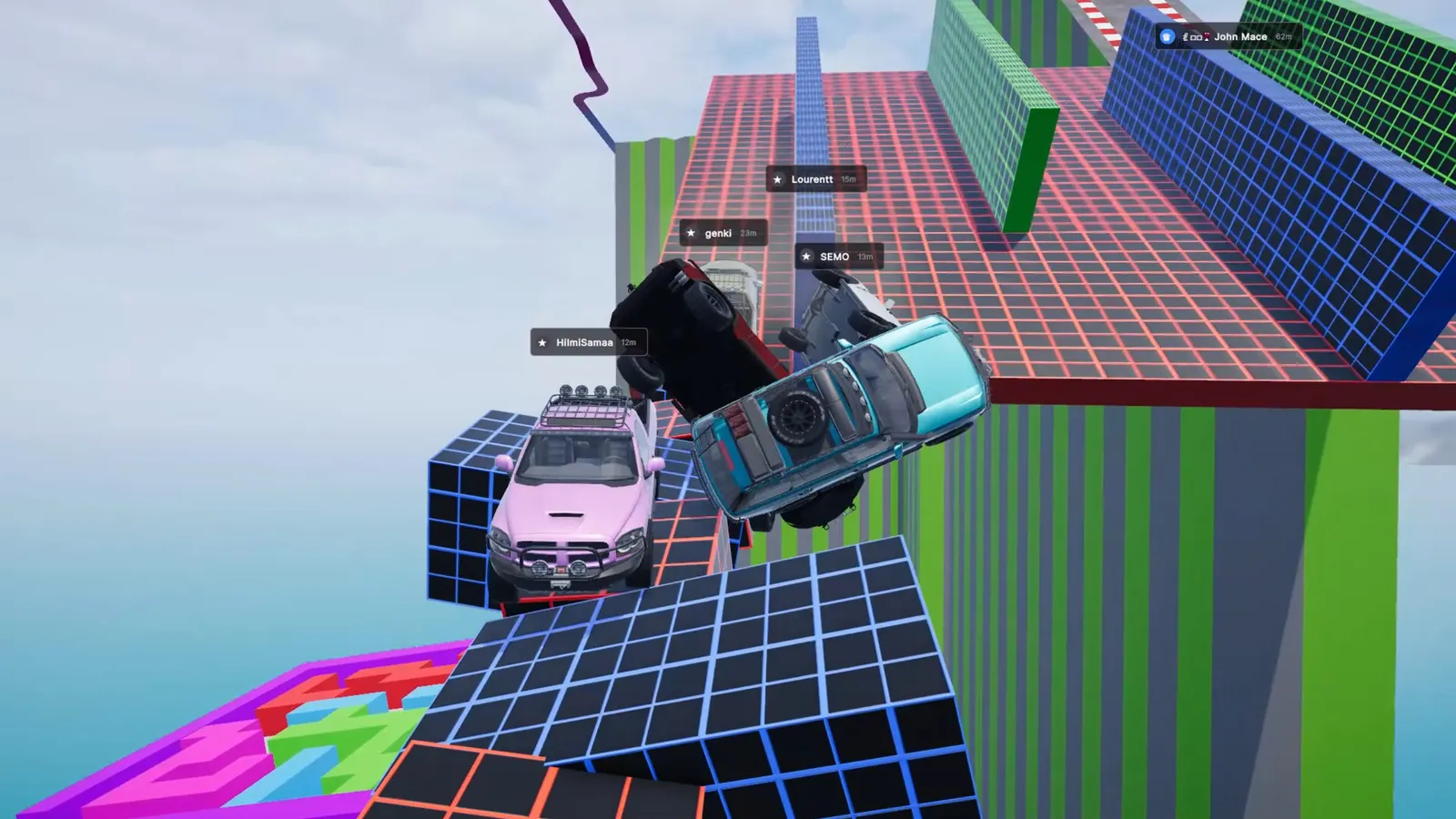
Screenshot: Gamevato official press kit.
Floating segments with a GOOD LUCK sign and airborne trucks show tight timing when multiple cars jump one after another.
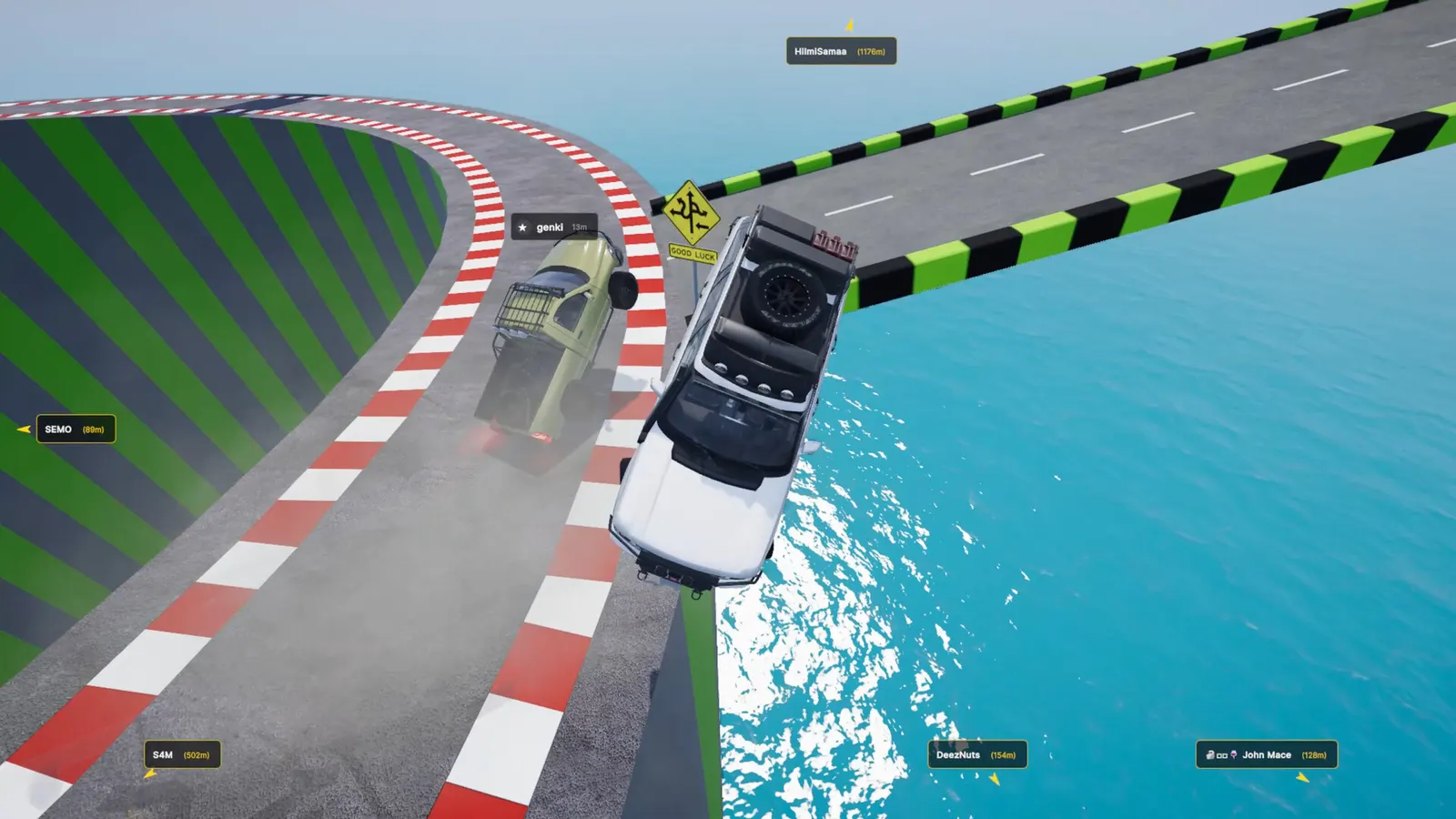
Screenshot: Gamevato official press kit.
Driving technique tied to momentum lives in driving and momentum tips.
What did v0.1.2 add for multiplayer quality of life?
According to the official v0.1.2 patch notes:
- Spawn protection (ghost mode) — After first spawn, return to start, or checkpoint respawn, you can pass through other cars for a few seconds while your car blinks. Protection does not end while you are inside another car; it ends when you leave it.
- Altitude bar — Other players appear with car colors and Steam profile pictures.
- Leaderboards — Altitude-first ranking with per-map normal and checkpoint tables (see achievements and leaderboards).
Minigames on Neon Junction (Bomb Tag, Sky Sumo) add local chaos; rules are in minigames guide and Neon Junction map guide.
Team habits (our suggestions)
These are not official rules—only habits that match solid-car physics and official screenshots:
- Call who bridges — One parked bridge across a gap is official design; two drivers aiming for the same gap is our read for frequent double-falls.
- Push with consent — A push up a ramp helps; a push near a cliff edge ends runs. Agree verbally before shunting our suggestion.
- Stagger jumps — Screenshot 02 shows mid-air traffic; waiting one beat on floating jumps reduces rear-end launches our read.
- Keep one “sweeper” low — After a mass fall, someone can reclimb slowly to spot checkpoint spawns while others restart our suggestion—checkpoint placement details remain not published per map.
- Use Discord when short a player — Official channels encourage community LFG; do not expect an in-game queue.
Can demo players join full-game lobbies?
The demo (Steam App ID 4749350) ends at a random height between 450 and 750 m on purpose. Whether demo and paid clients can mix in one lobby is not stated in the fact sheet we maintain—verify in Steam’s demo FAQ and your client before planning a crew night. Scope comparison: demo vs full game.
For patch-level host kick and settings UI, see v0.1.2 update notes. Map-specific co-op hazards: mountain, Port Babel.
Last checked against patch v0.1.2 on November 4, 2026. This is an unofficial fan wiki.
FAQ
How many players can be in one lobby?
How do I invite friends without alt-tabbing?
Can one Steam copy be shared in the same lobby?
Can we pass through each other after spawning?
Can the host remove a player mid-race?
Related Articles
Was this helpful?
Thanks for the feedback!