
Drive UP: Together Driving Tips — Momentum & Climbing
Official physics and v0.1.2 driving changes in Drive UP: Together, plus practical momentum tips for climbing steep planks and ramps without keybind guesses.
What does the game officially say about driving physics?
Gamevato’s press and Steam descriptions frame Drive UP: Together as a physics-based climb, not an arcade grip simulator. Verified wording includes:
- Weight transfer, suspension, and throttle shape how the car behaves on planks, pipes, and near-vertical ramps.
- “Momentum is the whole game.”
- Brake input shifts weight forward.
- Greedy throttle can step out the rear—i.e., power can break traction when applied carelessly.
- Cars are solid, so contact with track edges, obstacles, or other players has real consequences.
Those lines explain why small changes in speed or timing feel huge on narrow sections. They do not replace practice; they tell you which inputs the designers expect you to manage.
For co-op contact (pushing, blocking, bridging), see co-op strategies. For your first session checklist, see the beginner guide.
What changed in v0.1.2 that affects how cars climb?
These items come directly from the official v0.1.2 Steam news post (paraphrased; no invented stats):
| Topic | Official change |
|---|---|
| Engine & turbo upgrades | Upgrades also change gear ratios, increasing top speed and reducing time spent at the rev limiter. Store and garage numbers were updated. |
| Clutch / heavy trucks | Clutch slipping on heavy trucks was fixed; 1000+ HP trucks are called out, including the named Ranch Roamer heavy truck. |
| Camera | Vehicle camera starts higher and farther back. Camera collision (Settings > Controls > Camera Collision) pulls the view through tight spaces; on by default, can be turned off. |
| Spawn protection | Ghost mode after spawn, return to start, or checkpoint respawn: pass through other cars briefly while blinking; ends when you leave another car’s space. |
| Leaderboards | Rankings prioritize altitude, then time; ties use fewer attempts—relevant if you reset runs often after falls. |
Full patch context: v0.1.2 update hub. Upgrade shopping details: engine and turbo guide (no unofficial price tiers).
What can official screenshots show about momentum?
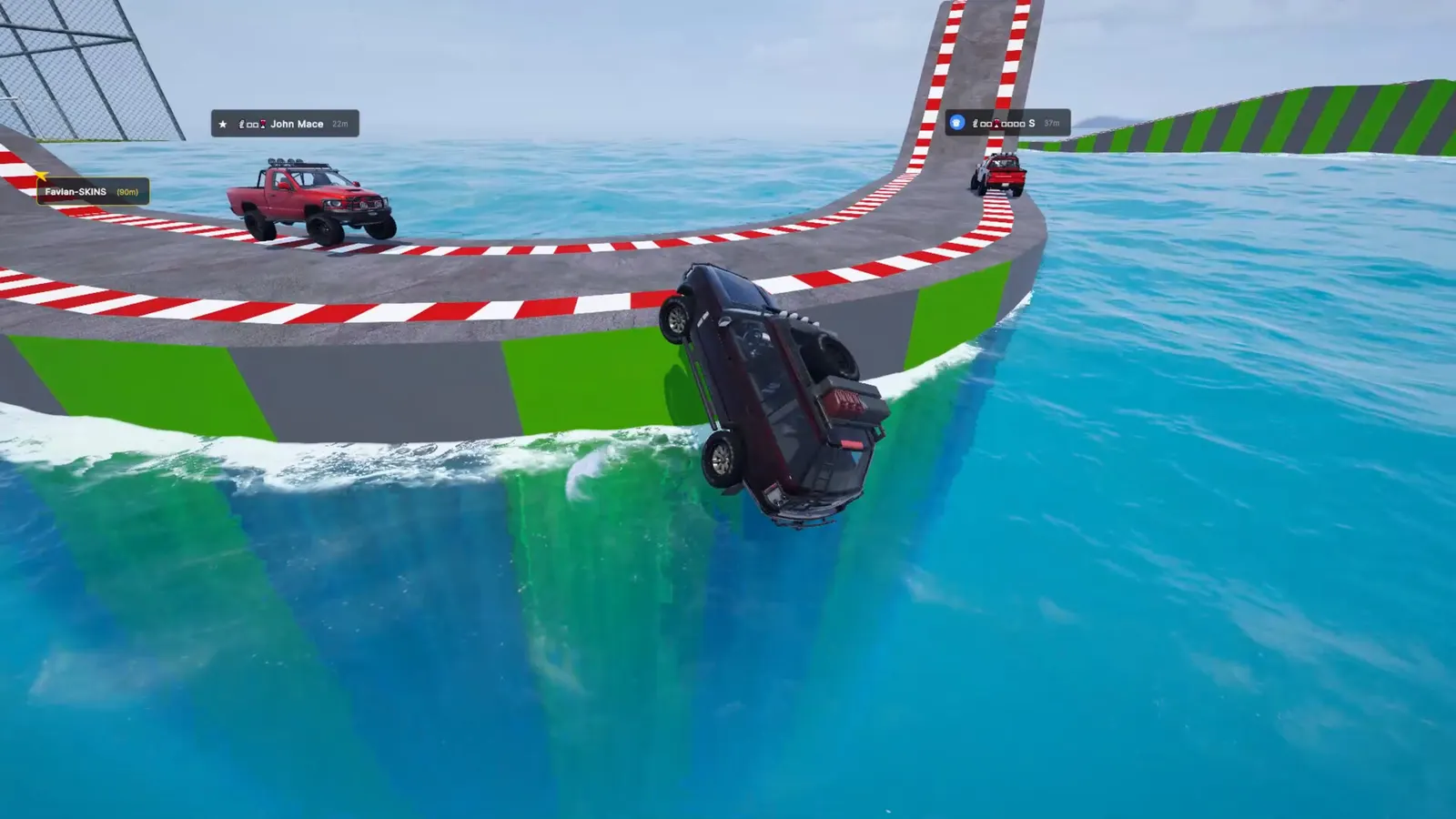
Screenshot: Gamevato official press kit.
A fall from a narrow ocean-side segment with other trucks still climbing illustrates how small track width and speed interact. Map identity for this shot is unclear in the press kit index—do not assume a specific map name from the image alone.
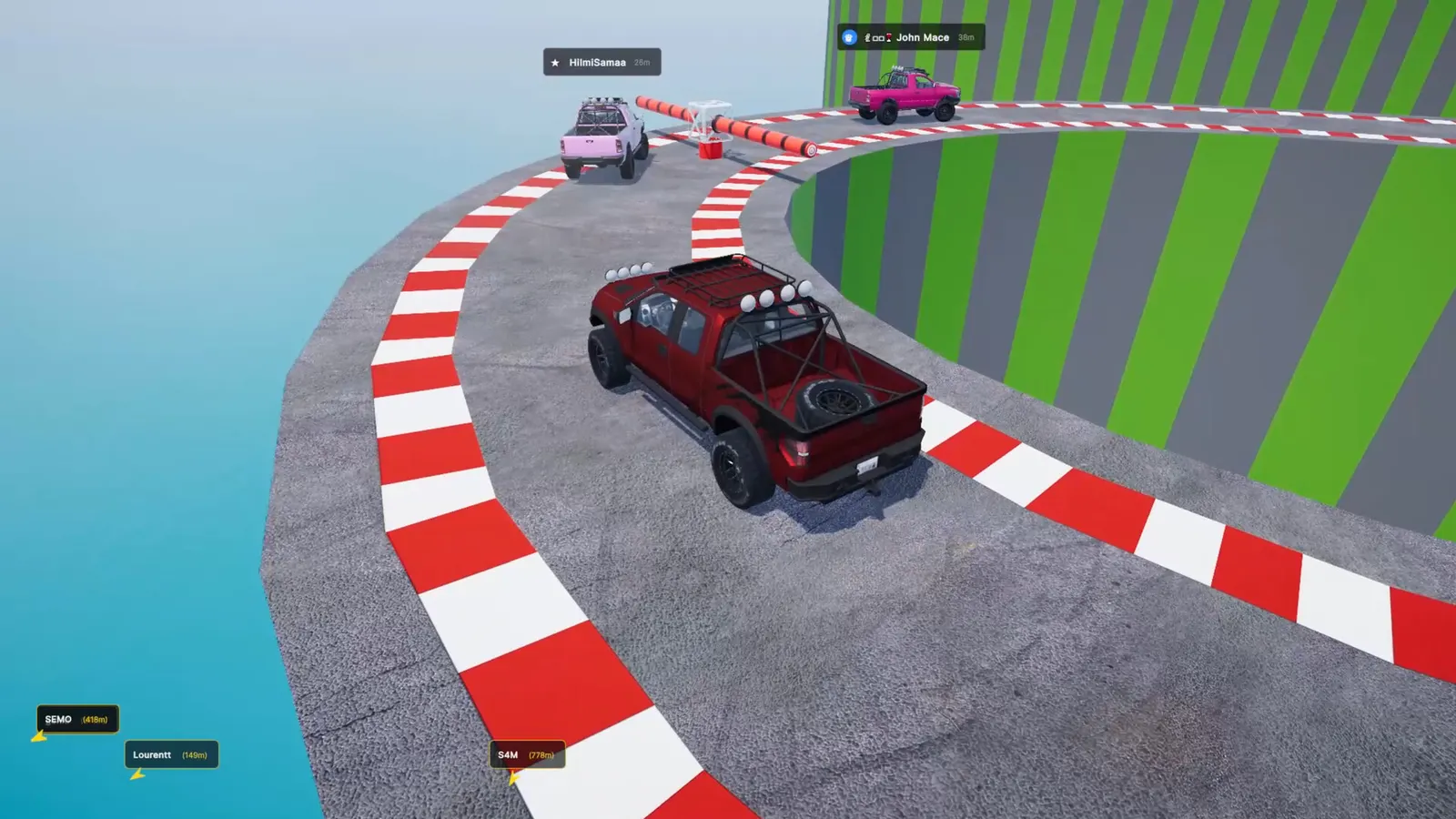
Screenshot: Gamevato official press kit.
Curved approaches with moving barriers reward steady throttle changes rather than on/off bursts—our read, consistent with weight-transfer descriptions, not an official tutorial step.
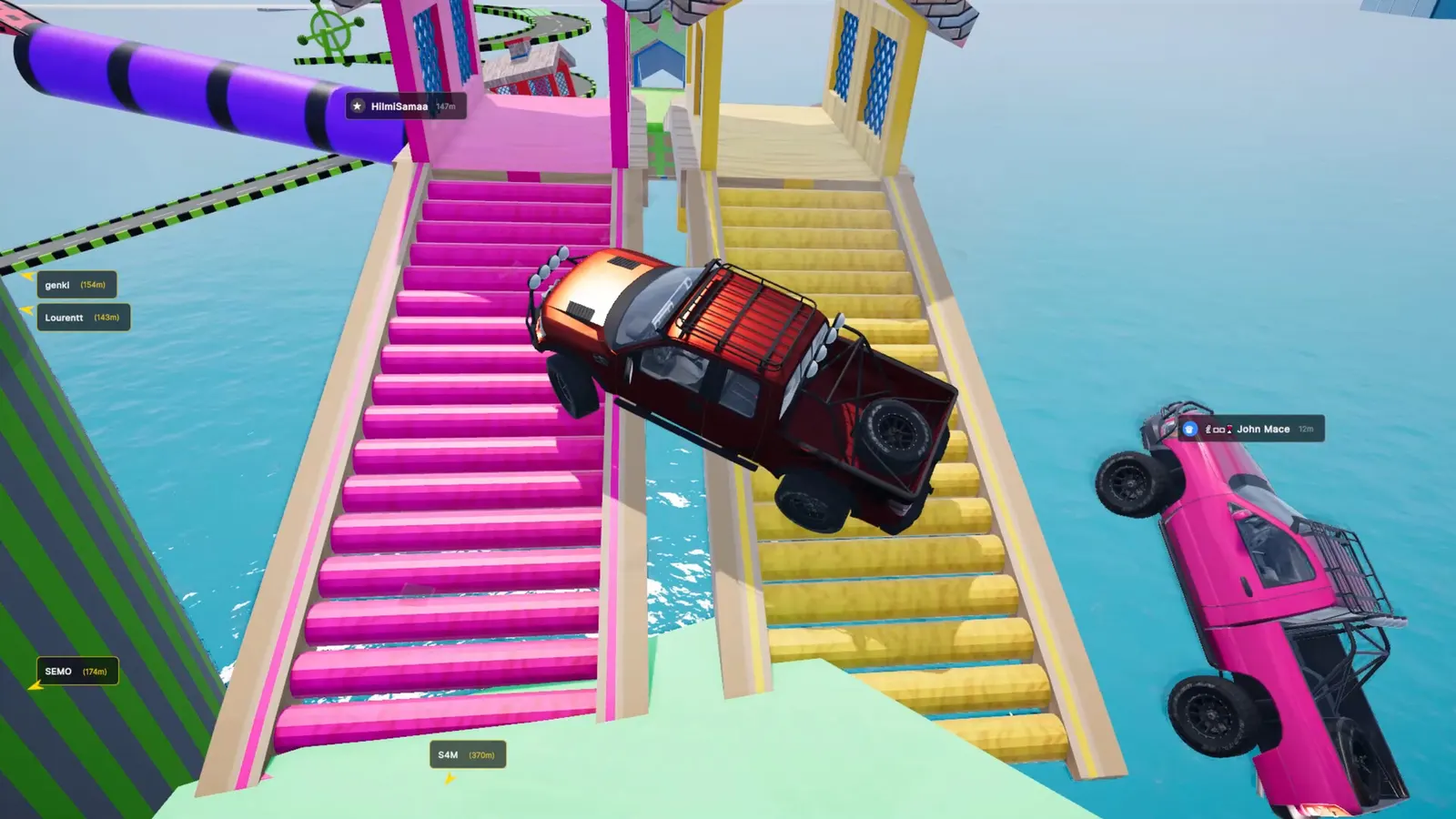
Screenshot: Gamevato official press kit.
Stair-style ramps show one truck mid-crossing while another falls—visible proof that momentum and line choice matter on disjointed geometry.
Practical tips (our suggestions)
Everything below is Practical tip (our suggestion, not an official rule). Test in-game and adjust for your vehicle and lobby size.
- Build speed on straight, wide bites — Carry momentum into climbs only when you have room to recover if the rear steps out.
- Feather throttle on crests — Official copy warns about greedy throttle; easing slightly over hilltops can reduce flip risk our read.
- Use braking before tight turns, not during them — Aligns with weight-forward braking description; stab-braking mid-plank is often worse our read.
- Plan respawns in co-op — v0.1.2 ghost protection helps after checkpoint spawns, but you still need clear space when protection ends; coordinate in co-op strategies.
- Re-check upgrades after v0.1.2 — Ratio changes can alter top speed; re-learn each car’s comfortable climb rpm our read after purchasing engine or turbo upgrades.
- Toggle camera collision for comfort — If tight pipes feel disorienting, try disabling Camera Collision; if you lose spatial awareness, leave it on—preference only our suggestion.
How do checkpoint modes interact with “fall and climb again”?
Marketing still describes no checkpoints on the main fantasy of the climb (“Fall, and you climb again”). v0.1.2 adds checkpoint modes with their own leaderboard tables and spawn at checkpoint ghost protection.
Official documentation does not yet spell out checkpoint locations per map. Until that is published, treat checkpoint mode as a separate scoring path and confirm behavior in your lobby settings when the host opens settings via the map card.
Related: FAQ for controls and solo play, Neon Junction map guide for the documented 1000 m finish on that course only.
Last checked against patch v0.1.2 on November 4, 2026. This is an unofficial fan wiki.
FAQ
Does braking matter in Drive UP: Together?
Did upgrades change how fast I can go in v0.1.2?
What is spawn protection (ghost mode)?
Can I turn off camera collision?
Where are the official control keys listed?
Related Articles
Was this helpful?
Thanks for the feedback!