
Drive UP: Together Upgrades — Engine & Turbo
How v0.1.2 engine and turbo upgrades change gear ratios and top speed, Ranch Roamer clutch fix, and garage/store UI updates—no unofficial stat numbers.
What changed for engine and turbo upgrades in v0.1.2?
According to the official v0.1.2 patch notes:
- Engine and turbo upgrades now also change gear ratios.
- Top speed goes up, and the car does not sit at the rev limiter all the time.
- Values in the store and garage were updated to match the new behavior.
Earlier Steam Early Access FAQ text already mentioned engine and turbo upgrades alongside car colors at launch; v0.1.2 is the patch that ties upgrades to transmission-style gearing, not just a power number on paper.
We do not list upgrade tiers, costs, or horsepower figures—those numbers are not published in official sources we verify.
What is the Ranch Roamer clutch fix?
The same v0.1.2 notes include a clutch fix:
- Clutch slipping on heavy trucks is addressed.
- Heavy trucks now handle 1000+ HP “with ease.”
- Ranch Roamer—named in official news—is called out as able to burn rubber with ease now.
That is the only named vehicle we cite from first-party v0.1.2 text. A complete car roster, per-model stats, and official “best truck” rankings are not published yet (see also FAQ — best car).
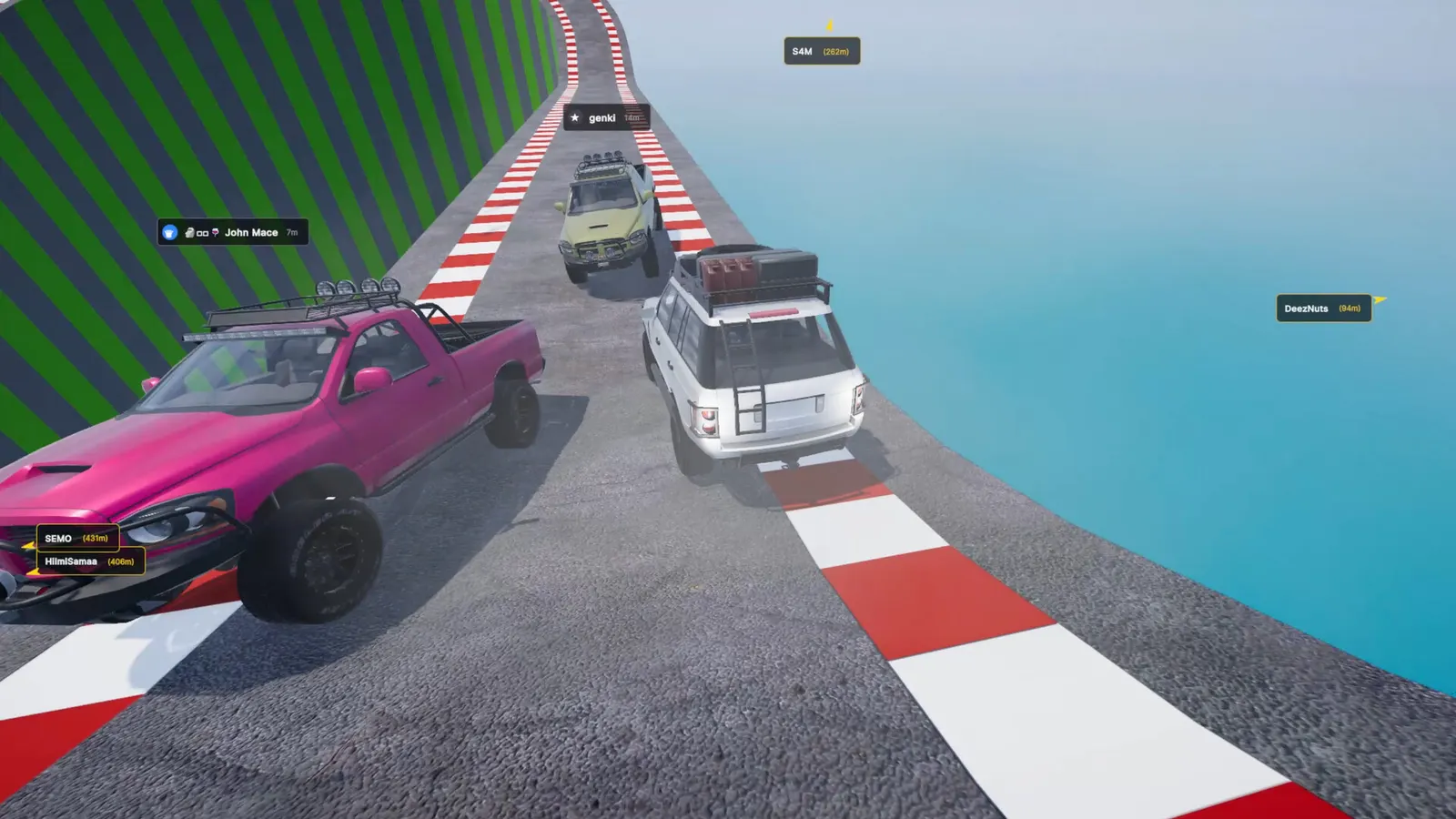
Screenshot: Gamevato official press kit.
The press-kit alt text describes a pink pickup, white SUV, and tan truck on a steep checkered ramp with tags such as 748m and 7m visible—illustrating multiplayer height gaps, not a specific upgrade build.
What improved in the garage and store?
Still from v0.1.2 patch notes:
- Car previews in the garage and store open faster.
- A bug where the car did not appear for some players the first time they opened the Garage tab was fixed.
Lobby flow also touched shopping context: clicking the map card (image or name) in the lobby opens game settings—handy before you commit to a run on Neon Junction or Port Babel.
What should I upgrade first?
Our read (player suggestions—not official meta):
| Priority idea | Why (with uncertainty stated) |
|---|---|
| Learn throttle on stock power first | Official copy stresses momentum and weight transfer; extra top speed from v0.1.2 gearing can make overshooting planks worse if you have not learned braking lines (driving momentum tips). |
| Consider turbo/engine before cosmetic spends | Colors are confirmed customization; upgrades affect reach and rev behavior per patch notes, which may matter for leaderboard altitude (achievements & leaderboards). |
| Try heavy trucks after the clutch fix if you like low-end torque | Ranch Roamer is the named beneficiary; we cannot say it beats other unnamed vehicles. |
How do upgrades tie into the rest of the game?
- Leaderboards (v0.1.2): altitude first, then time, then fewer attempts—faster gearing may help if you still control landings (co-op strategies for push assists).
- Maps: launch mountain, Port Babel (v0.1.1), Neon Junction (v0.1.2 with minigames)—upgrade needs may feel different on harbor forklifts or neon spirals; no official per-map upgrade advice exists.
- Demo: the free demo cuts at 450–750 m random height; full-game garage upgrades are not in demo scope (demo vs full game).
Report balance feel on official Discord—EA FAQ says feedback shapes future maps, cars, and modes.
Related pages
- FAQ — cars and upgrades — honest limits on roster and codes
- Achievements & leaderboards — why extra top speed only helps if you still finish clean
- v0.1.2 update notes — full feature list including clutch and garage fixes
Last checked against patch v0.1.2 on November 4, 2026. This is an unofficial fan wiki.
FAQ
Did engine upgrades always change gear ratios?
What is the Ranch Roamer?
Where do I buy upgrades?
Is there an official best car or upgrade order?
Related Articles
Was this helpful?
Thanks for the feedback!