
Drive UP: Together FAQ — Solo, Price, Maps & More
Unofficial Drive UP: Together FAQ: what the game is, price, platforms, co-op size, demo, maps through v0.1.2, upgrades, codes, controls, and where to get help.
What is Drive UP: Together?
Drive UP: Together is a Casual / Racing / Simulation Steam Early Access title (App ID 4058120). The store short description calls it chaotic, physics-based co-op climbing for up to eight friends on thin planks, giant pipes, and vertical ramps—every meter earned, with friendly pushes that save or end runs.
This Drive UP Together Wiki is an unofficial fan site, not run by Gamevato. Official pages: Steam and driveuptogether.com.
How many players can play together?
Official site and press kit: 1–8 players, online co-op. Solo is supported—the developer FAQ pin states “the whole climb works solo too.” Steam categories include multiplayer co-op tags but not a “Single-player” category despite solo support.
Everyone needs their own copy; official launch-week news notes you can gift on Steam. Invites: Steam friends plus in-game invites from v0.1.1. There is no automatic matchmaking—only friends, invites, and community LFG threads. See co-op strategies and the beginner guide.
How much does it cost?
Steam appdetails showed $5.99 USD (final 599 cents, 0% discount) on November 4, 2026. Early Access FAQ states the price stays the same through EA, with a slight increase at full release.
Regional currency and tax always follow your Steam storefront—open the store page for your local price.
Is there a demo?
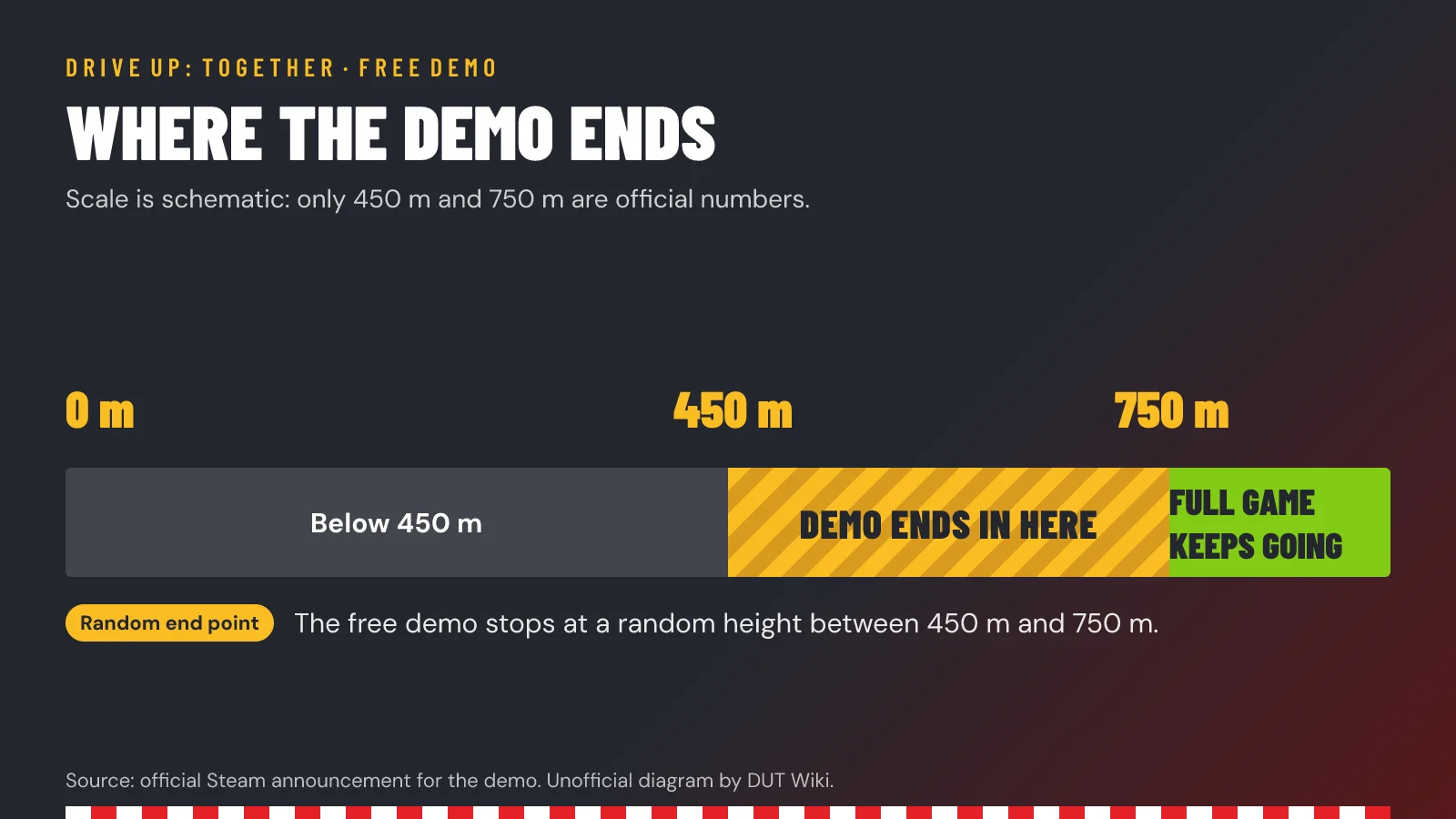
Yes. Steam lists a separate free demo (App ID 4749350). It ends at a random height between 450 and 750 m on purpose. The full game includes the complete climb on every map. Details: demo vs full game.
Which maps exist in Early Access?
| Map | Introduced | Official summary (short) |
|---|---|---|
| Launch mountain | EA launch | “One giant vertical course”—planks, pipes, near-vertical ramps; finish altitude not stated in first-party text |
| Port Babel | v0.1.1 | Night harbor—cranes, containers, floodlit docks |
| Neon Junction | v0.1.2 | Neon night city; finish at 1000 m; Bomb Tag and Sky Sumo minigames |
Wiki map hubs: Mountain, Port Babel, Neon Junction. Patch context: v0.1.2.
Which platforms are supported?
Windows PC (Steam) only in verified appdetails (mac and linux false). Mac, Linux, and console builds are not listed. Steam Deck compatibility is not stated in our verified fact set—check Steam’s compatibility tab yourself.
Full hardware tables: system requirements.
Who developed and published it?
Steam lists Developer: Gamevato, Caporta Games and Publisher: Gamevato. The public press kit fact sheet names Gamevato (Estonia) as developer and publisher—Caporta’s role beyond the Steam credit line is not explained in the facts we verified.
What are the PC system requirements?
Steam lists Windows 10, Core i3-5500, 6 GB RAM, GTX 920M, broadband, 10 GB storage minimum; recommended adds Win 10–11, i5-6500, 16 GB RAM, GTX 1050 Ti. We copy those fields verbatim on the system requirements page—no guessed specs.
How do I invite friends?
From v0.1.1, use in-game invites so you do not alt-tab. Steam friends remain the base social graph. Hosts can kick from the pause menu (v0.1.2). Need a crew? Use the official Discord LFG discussion linked from Steam.
How do leaderboards work?
According to v0.1.2 patch notes: rank by altitude reached, then finish time; ties break on fewer attempts. There is an overall table plus per-map normal and checkpoint tables. Deep dive: achievements & leaderboards.
Are there cars, colors, and upgrades?
Car colors are confirmed in Early Access FAQ. Engine and turbo upgrades exist; v0.1.2 makes them change gear ratios and updates store/garage values. Ranch Roamer is a named heavy truck in v0.1.2 clutch notes. A full vehicle list, stats, and official best car ranking are not published. See upgrades — engine & turbo.
Are there redeem codes or cheats?
No official redeem codes, promo codes, or cheat codes appeared in Steam store text, news, site, or press kit we reviewed. Do not trust random “free code” sites. Cheats are likewise not mentioned officially.
Does Steam Cloud save my progress?
Steam categories include Steam Cloud for App ID 4058120. Exact save contents (garage upgrades, colors, settings) are not itemized in the API facts we use—expect cloud sync when Steam Cloud is enabled for the title.
What are the control keys?
We have not found a first-party keyboard or gamepad binding chart (no WASD / button map in store, press kit, or news). Verified instead:
- Partial controller support (Steam).
- Official site FAQ: “Keyboard works great too.”
- Settings > Controls > Camera Collision toggle (v0.1.2; on by default per patch notes).
Open Settings > Controls in your client for live bindings. Driving is described conceptually (throttle, brake, steering, weight transfer)—not by key names. Driving momentum tips discuss physics, not keys.
Where do I report bugs or ask the devs?
- Support email: driveuptogether@gamevato.com (Steam support_info).
- Discord: https://discord.gg/DTyqeQHJ4g — EA FAQ mentions feedback via Discord and Steam.
- Launch-day posts point to pinned Steam discussions for bugs and Q&A.
More walkthrough-style help: beginner guide · side games: minigames.
Last checked against patch v0.1.2 on November 4, 2026. This is an unofficial fan wiki.
Related Articles
Was this helpful?
Thanks for the feedback!